Server management
reimagined.
The modern SSH client for DevOps engineers and developers. Secure, intuitive, and beautifully designed.
Built for professionals
Everything you need to manage servers efficiently. Secure, fast, and intuitive.
Host Management
Visual dashboard for all your servers with status indicators and quick actions.
Secure Vault
AES-256 encrypted storage for credentials with master password protection.
Integrated Terminal
Full-featured terminal with ANSI colors, vim support, and multiple tabs.
Group Organization
Color-coded groups for projects, environments, or clients.
Quick Connect
One-click connections with automatic credential retrieval.
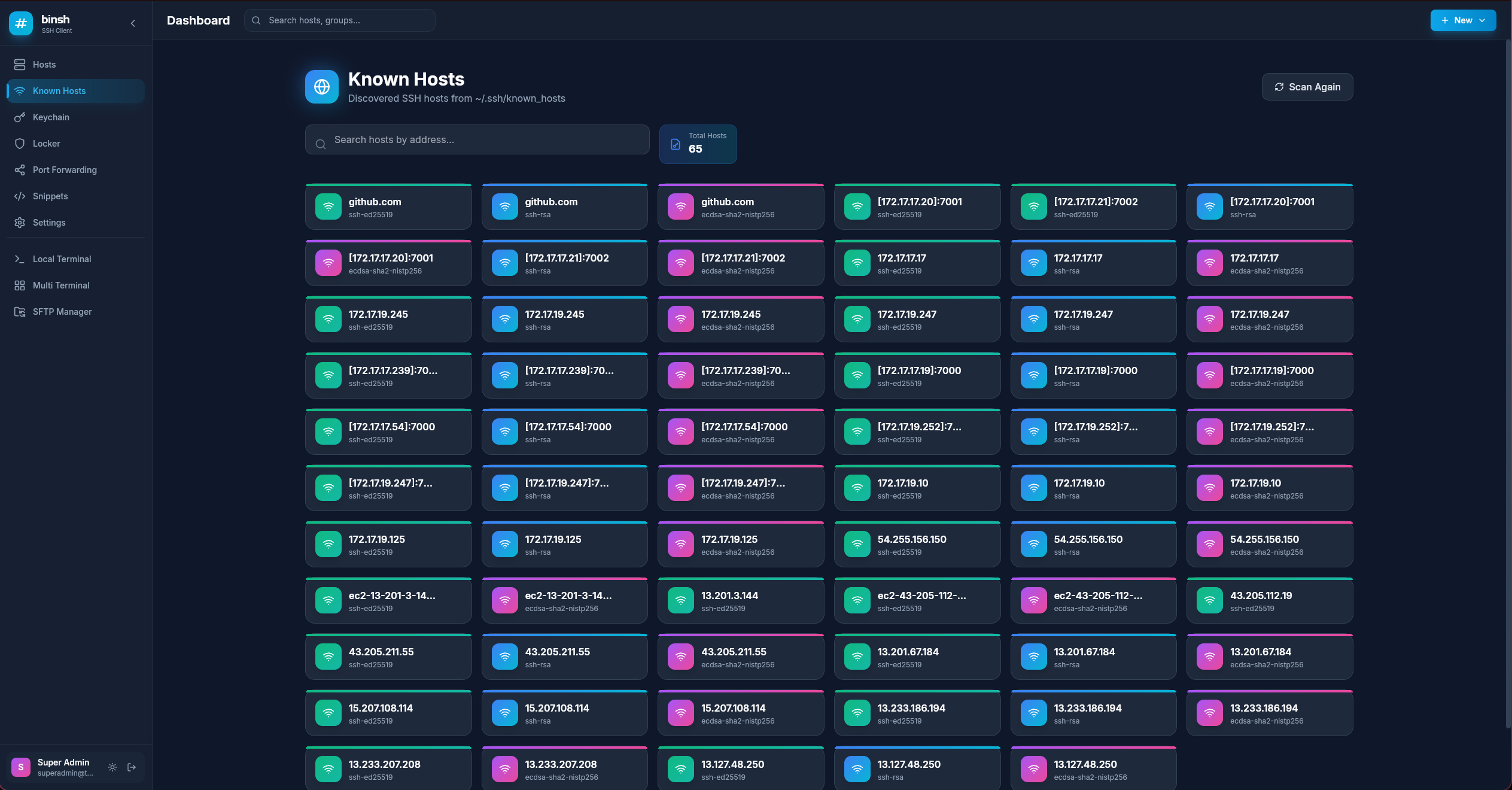
Known Hosts
Visual SSH known hosts manager with key type indicators.

Kader Khan
DevOps Engineer
Built by someone who gets it.
I'm a DevOps Engineer who manages dozens of servers daily. I built binsh because I was tired of juggling terminal windows, scattered configs, and forgotten credentials. This is the tool I always wanted.
DevOps Engineer
Cloud infrastructure & automation specialist
B.Sc. Computer Science
AIUB, Bangladesh
Certified Professional
AWS Cloud Practitioner, RHCSA
Everything you need to get started
Complete guides for installation, features, and daily workflows.
binsh is a modern SSH client and server management platform designed for DevOps engineers, system administrators, and developers who manage multiple remote servers.
Unlike traditional terminal-based SSH clients, binsh offers a visual dashboard approach while maintaining the power professionals require.
Key Benefits:
• Centralized server management in one place
• Visual interface with quick actions
• Secure credential storage
• Works completely offline
System Requirements:
• Ubuntu 20.04+, Debian 11+, Fedora 35+
• 64-bit x86 processor
• 512 MB RAM minimum
Snap Store (Recommended):
sudo snap install binsh --betasudo snap connect binsh:ssh-keysDebian/Ubuntu (.deb):
sudo dpkg -i binsh_*.debsudo apt install -fAppImage (Universal):
chmod +x binsh-*.AppImage./binsh-*.AppImageHost Management
Visual dashboard for all servers with status indicators, quick actions, and group organization. Add hosts with labels, addresses, ports, and authentication methods.
Secure Vault
AES-256 encrypted storage for passwords and SSH keys. Protected by a master password with auto-lock after inactivity.
Integrated Terminal
Full-featured terminal emulator with ANSI color support, vim compatibility, multiple tabs, and customizable fonts.
Group Organization
Create color-coded groups to organize servers by project, environment, or client. Filter and navigate efficiently.
Known Hosts Manager
Visual interface for SSH known_hosts file. Scan, view key types, and convert entries to managed hosts.
Getting Started:
1. Launch binsh from your application menu
2. Create your local account (username and password)
3. Configure the secure vault with a master password
Adding a Host:
1. Click "Hosts" in the sidebar
2. Click "Add Host" button
3. Enter label, address, port, username
4. Select authentication method
5. Click Save
Connecting:
Click "Connect" on any host card. A terminal tab opens with your SSH session.
Organizing with Groups:
Navigate to Groups → Add Group → Enter name, description, color → Assign hosts to groups when editing.
Backup Configuration:
cp -r ~/.config/binsh ~/binsh-backupLet's talk
Questions, feedback, or just want to say hi? Reach out anytime.
Ready to try #binsh?
Download for free and experience modern server management. Open source forever.